
Connections
What is plugged into your CRM
Apps, packages and integrations pile up in a CRM over the years. The audit lists them in one place so you can check each one is still needed.
- Read-only
- Free
- No secrets read
Salesforce
What it lists in Salesforce
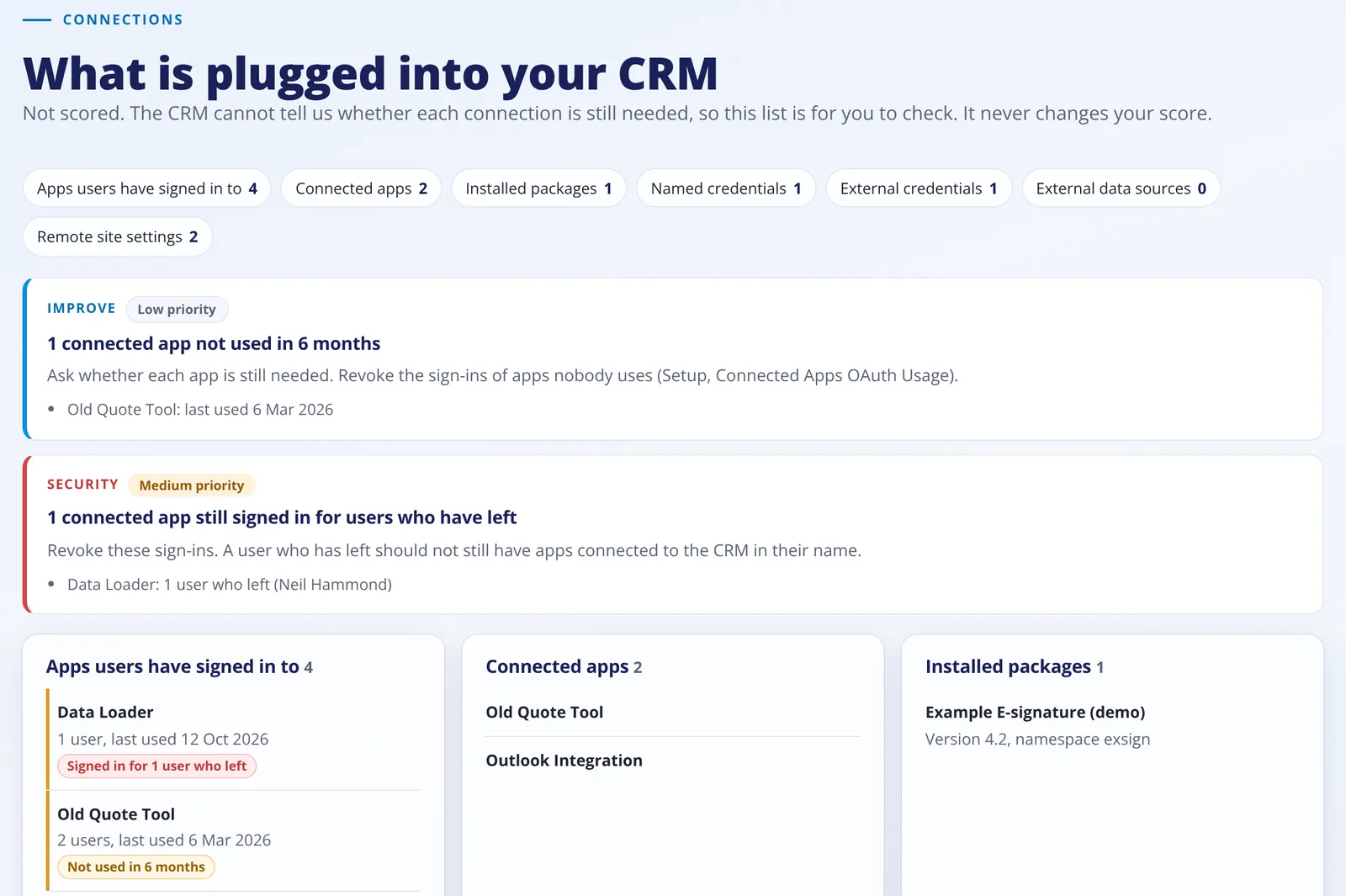
- Apps users have signed in to, with how many users and when each was last used.
- Connected apps and installed packages, with each package's version.
- Named credentials, external credentials and external data sources.
- Remote site settings, and whether each one is switched on.
Zoho CRM
What it lists in Zoho CRM
- Webhooks, the site each one calls and whether a workflow uses it.
- Connected workflows and their status.
- Extensions, worked out from the modules they add.
What it flags
Two things worth a look
Not used in 6 months
Apps users signed in to that nobody has used in the last 6 months, or ever. Each one still holds access to the CRM. Salesforce only.
Signed in for people who have left
Apps still signed in for users who have been deactivated. Salesforce only.
No secrets
Names and settings only
- No password, token, key or secret setting is ever asked for. Web addresses are cut to the site name, for example api.example.com.
Score
Why connections are not scored
- The CRM cannot tell us whether a connection is still needed. Many are meant to be there, such as your email tool or accounts package, so this list never changes your score.
Not available for this CRM
What we cannot list
- Zoho CRM has no API that lists the connections used by functions.
- If Zoho does not let the audit read webhooks or connected workflows, the report says so and carries on.
More about the audit
Keep reading
Free and read-only
See your score today
Fill in a short form, connect your Zoho CRM or Salesforce and get your report in minutes.