
Every automation on one map
The audit draws every automation it can read under the module it runs on. Click one to see what starts it, its conditions, what it changes and when it last ran.
- Read-only
- Free
- Zoho CRM and Salesforce
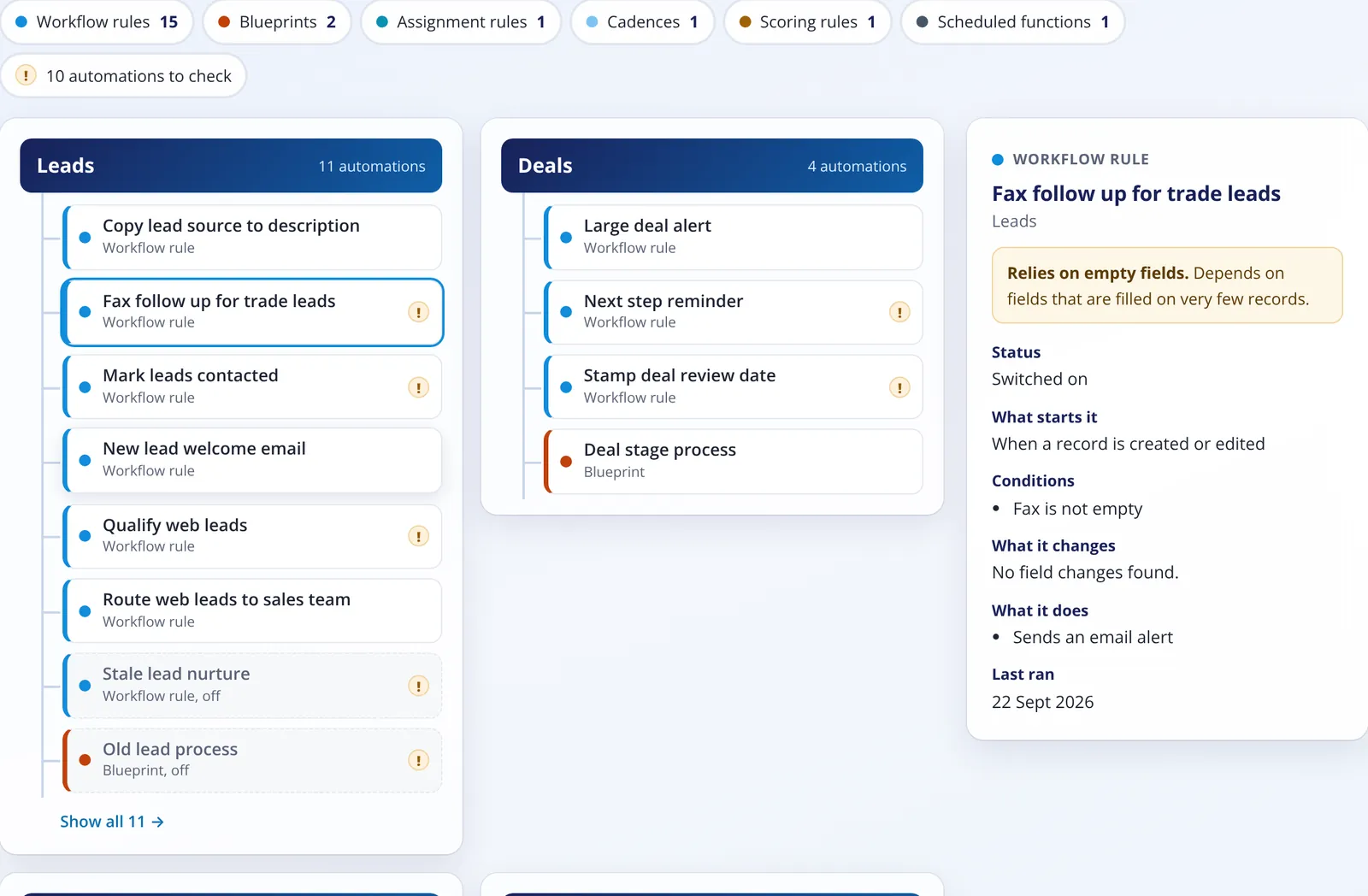
Every kind of automation the CRM lets us read
Zoho CRM
Workflow rules, blueprints, assignment rules, cadences, scoring rules and scheduled functions.
Salesforce
Flows, Process Builder, workflow rules, Apex triggers and approval processes.
Automations worth a look
Switched off but still there
Old rules that clutter the setup and confuse whoever looks after it next.
Possible clash
Two or more switched-on automations change the same field on the same module when the same thing happens to a record.
Runs on every record
Switched on, started when records are created or edited, with no conditions at all.
Relies on mostly empty fields
Conditions or actions on fields that are filled on very few records.
Not run in 12 months
Only where the CRM gives a last-run date: Zoho workflow rules and Salesforce approval processes.
Names and settings only
- It never reads Apex code or function code.
- It never guesses a condition or a last-run date the CRM does not give. Zoho's API does not list approval processes, so the map says so.
On screen, in the PDF and in Excel
- The interactive map on your report, with a filter for each kind of automation.
- A one-page map in the PDF, with the automations to check first.
- An Automations tab in the Excel file, with every automation, its trigger, conditions and what it changes.
- Automation and Workflows makes up 15% of your overall score.
Keep reading
See your score today
Fill in a short form, connect your Zoho CRM or Salesforce and get your report in minutes.